
Marketing Calendar
On this page
This guide explains how to use the Marketing Calendar to track and plan campaigns across platforms like Meta, Google, and LinkedIn. It includes applying filters for custom views, accessing detailed metrics via the calendar, and using the "View Full Report" button for comprehensive data analysis. This ensures efficient campaign planning and optimization.
Tracking ongoing campaigns and planning future ones across multiple channels can be a challenge for marketing teams. Grower’s Marketing Calendar provides a centralized system that offers instant visibility into your past, current, and planned campaigns, empowering you to track, analyze, and optimize every aspect of your efforts.
Say goodbye to the chaos of juggling campaigns across platforms. The Marketing Calendar offers a clear, concise view of your marketing activities across Meta, LinkedIn, Google, and more, simplifying campaign management and keeping everything in one place.
Accessing The Calendar
To view your Marketing Calendar, start by clicking on the "Calendar" tab in the side menu.
The Calendar streamlines your marketing campaigns effortlessly. By automatically gathering data from all your campaigns across different channels, it creates a consolidated calendar that provides a panoramic view of your marketing efforts.
No more toggling between platforms or calendars — everything is neatly displayed in one place. With this tool, you'll have crystal-clear visibility into all your scheduled and ongoing campaigns, ensuring you're always in the loop about what's happening and when.
Filtering The Calendar
The Filters section in the Marketing Calendar allows you to customize your view by applying specific filters such as Campaign Group, Group, Channels, and Status, so you can tailor your calendar to display only the campaigns relevant to your focus.
To access the Filters, click on the filter icon located at the top-left corner of the Marketing Calendar.
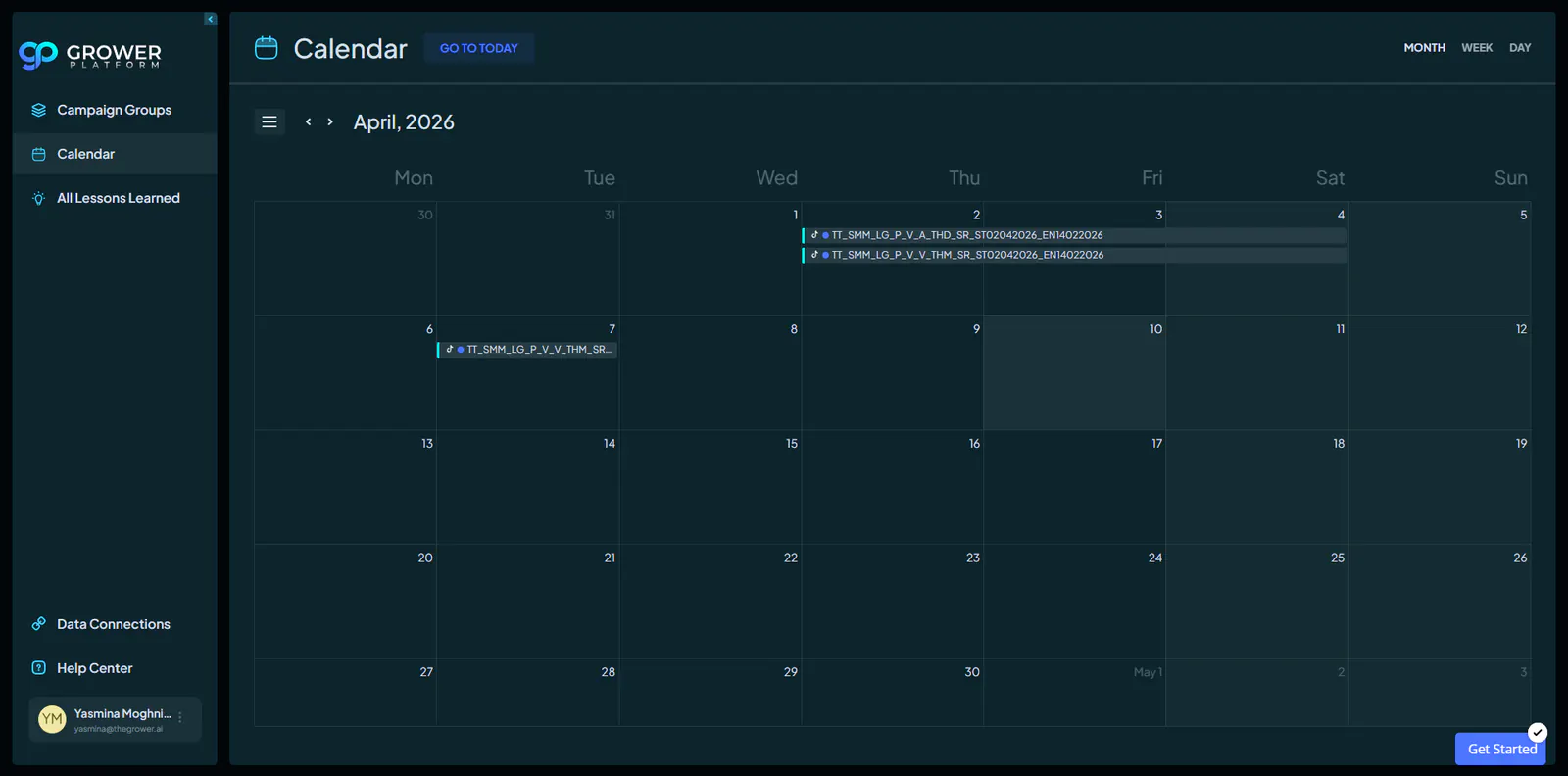
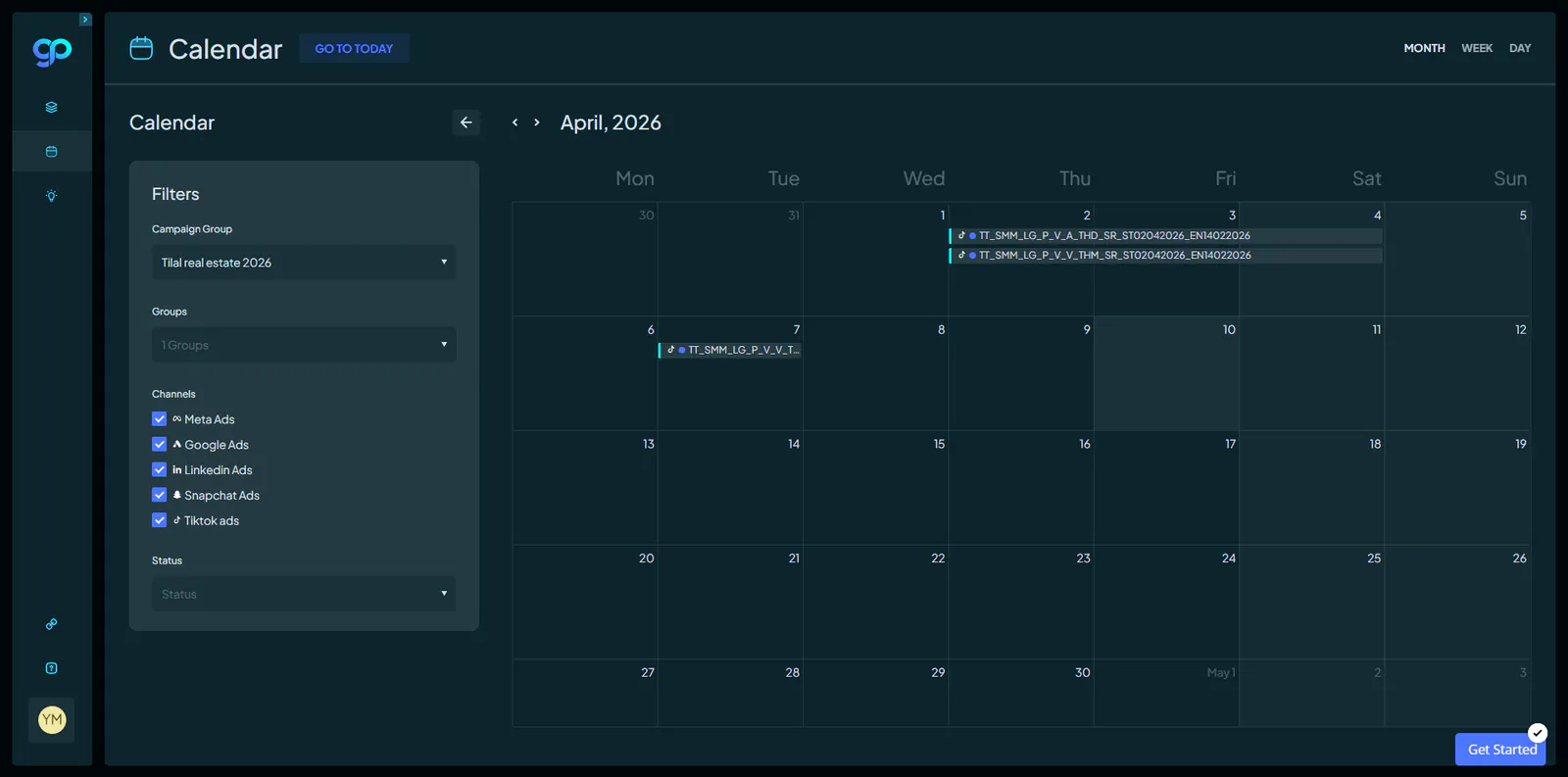
Once clicked, a dropdown menu will appear where you can select your desired filters. After selecting your options, the calendar will update dynamically to reflect your customized view.
Using Filters effectively provides a clear and focused perspective on your marketing activities, enabling you to manage campaigns with precision and efficiency.
Viewing Specific Data
When users click on a campaign or ad bar in the Marketing Calendar, a popup modal provides an instant overview of essential details. This modal displays key information such as the campaign or ad status, start and end dates, type, cost, conversions, and other relevant metrics.
It offers a quick way to gain deeper insights into specific campaigns without navigating away from the calendar view, so you can focus on both granular details and the broader strategy simultaneously.
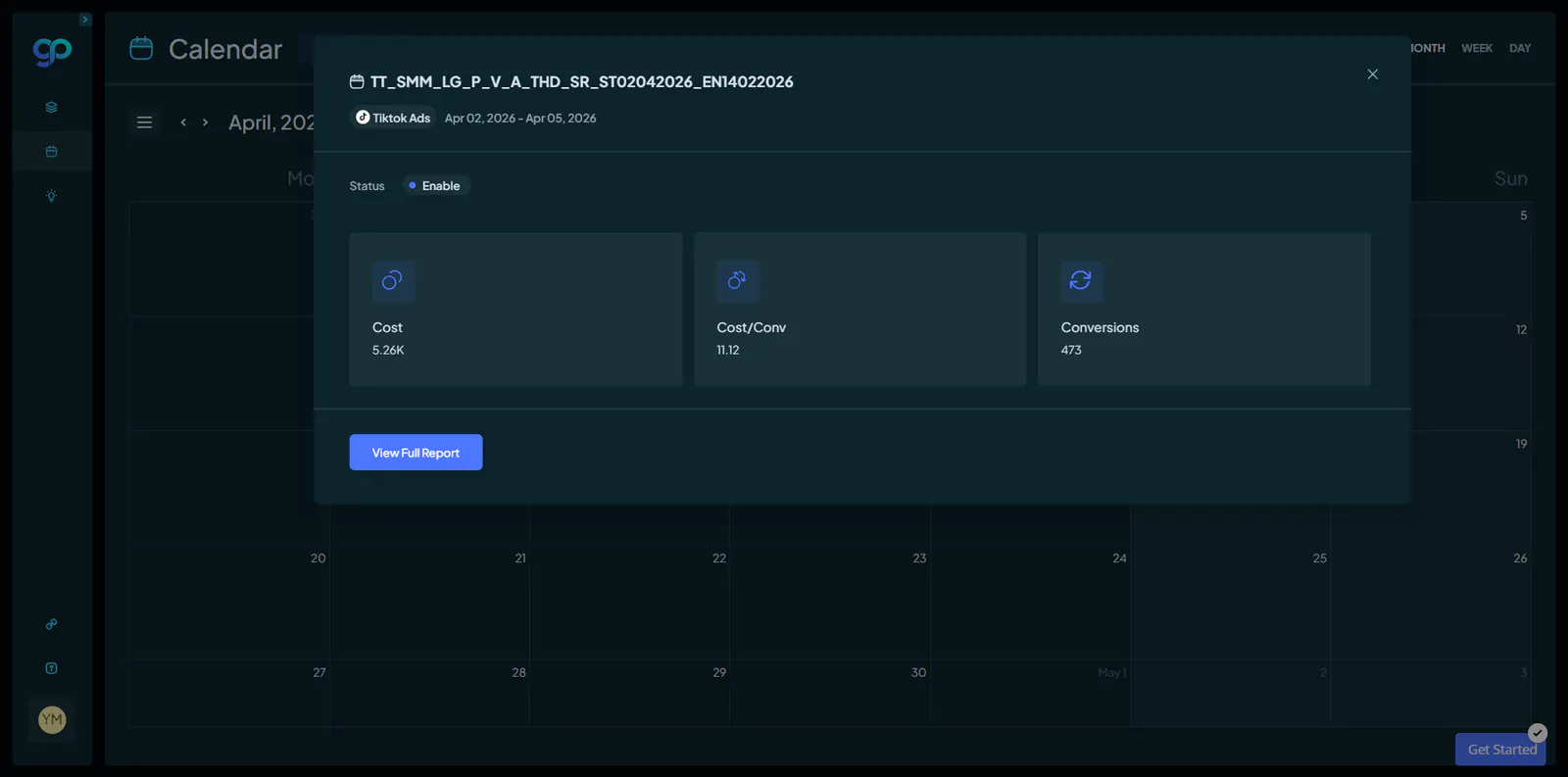
Additionally, each popup modal features a "View Full Report" button in the bottom left corner. Clicking this option seamlessly redirects you to the Channels Performance section, providing direct access to the detailed report for the specific campaign or ad you selected.
Within the channel reporting module, you can explore an array of in-depth metrics and additional data tailored to that campaign, enabling comprehensive analysis and informed decision-making.