
Channels Leaderboards
On this page
This guide explains comparing channel performance using the Channels Leaderboard. It covers metrics like clicks, impressions, and cost efficiency, with color-coded highlights for top and underperforming channels. The guide also explains using filters, sorting metrics, and analyzing data for strategic optimization.
As a digital marketer using Grower, you can now view and compare performance metrics across all your channels! This functionality allows you to assess the effectiveness of each channel based on metrics over selected date ranges, enabling you to make data-driven decisions to optimize your marketing strategy.
Comparative View of All Channels
The Channels Leaderboard is designed to provide a comparative view of all channels within the Performance page, allowing you to view a comparative analysis of channels to identify the best performing channel for each given metric.
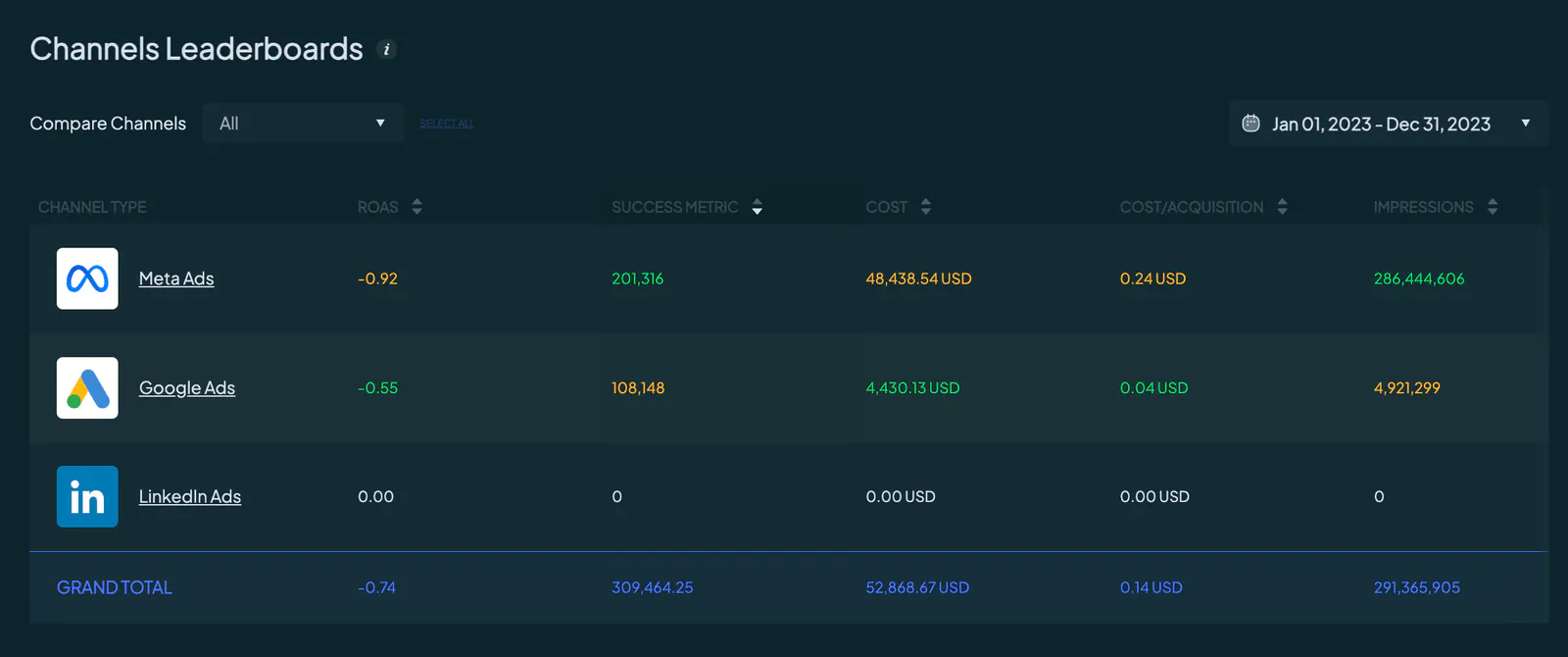
The table highlights the best performing metric in green and the least performing metric in orange. However, remember that for cost-related metrics such as Cost and CPA, lower values are better, so the lowest value is highlighted in green and the highest in orange.
Filtering & Sorting Functionalities
To enhance your analysis, the Channels Leaderboard offers filtering and sorting functionalities, allowing you to narrow down the data to specific date ranges and sort the displayed metrics.
Filter by Date Range
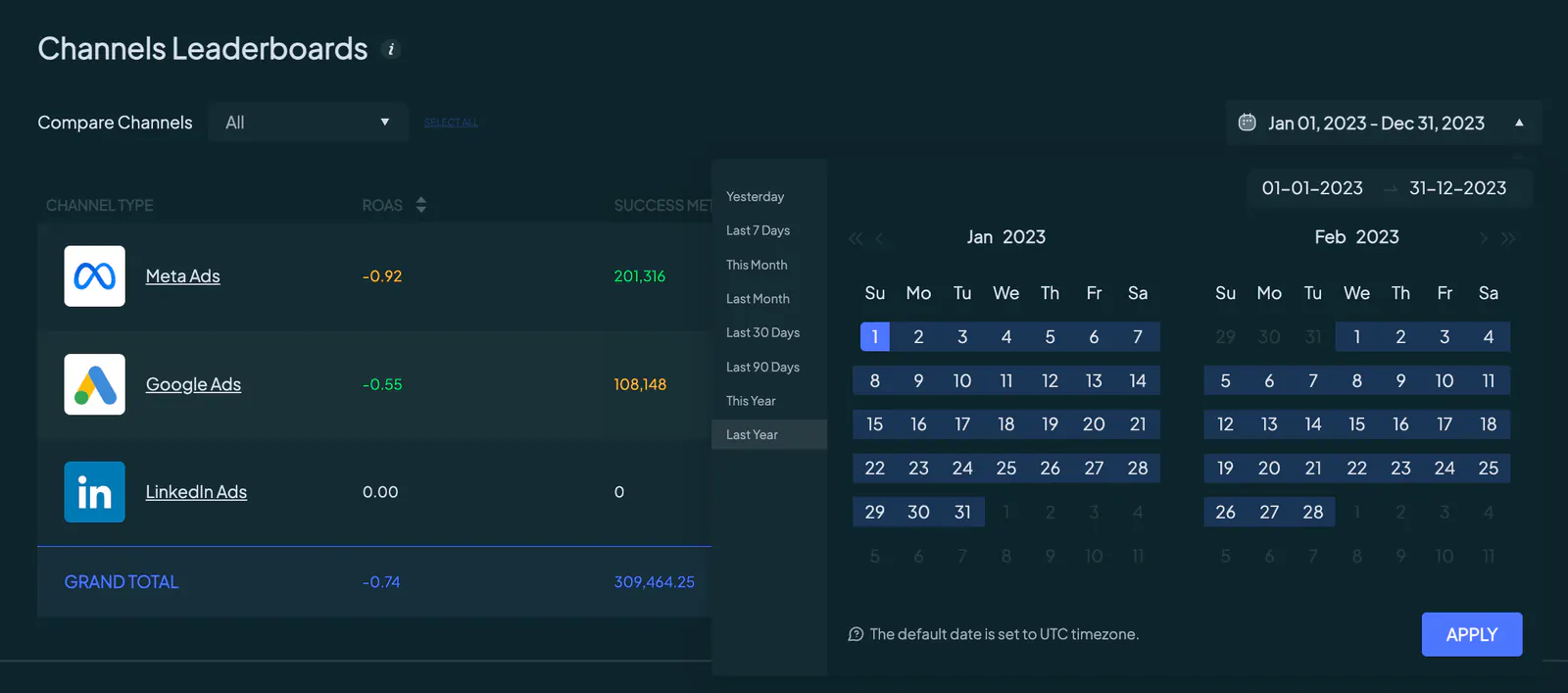
You can filter the comparative view for all metrics by the selected date range, ensuring you can focus on the time frames most relevant to your analysis. The metrics will update based on the selected date range
Channel Specific Comparison
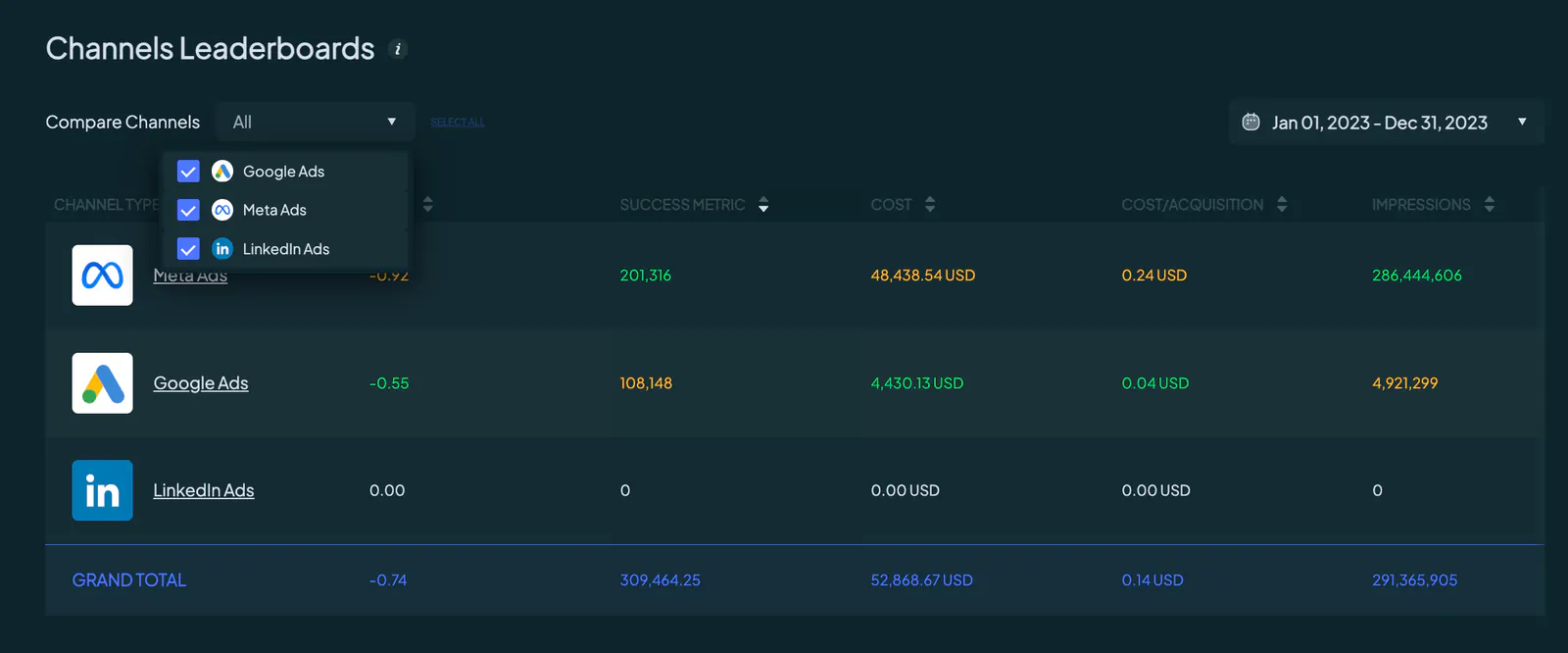
You also have the option to compare specific channels by selecting them from a dropdown list. You need to select at least two channels for a valid comparison. If only one channel is selected, the metrics for that channel are displayed without any green or orange highlights since no comparison is possible.
Sorting Columns
You can sort each column from highest to lowest or vice versa. For example, clicking the sorting arrow next to Impressions allows you to sort the channels by the number of impressions.
Unlock Actionable Insights
The Channels Leaderboard on Grower provides you with a powerful tool to compare and analyze the performance of your marketing channels.
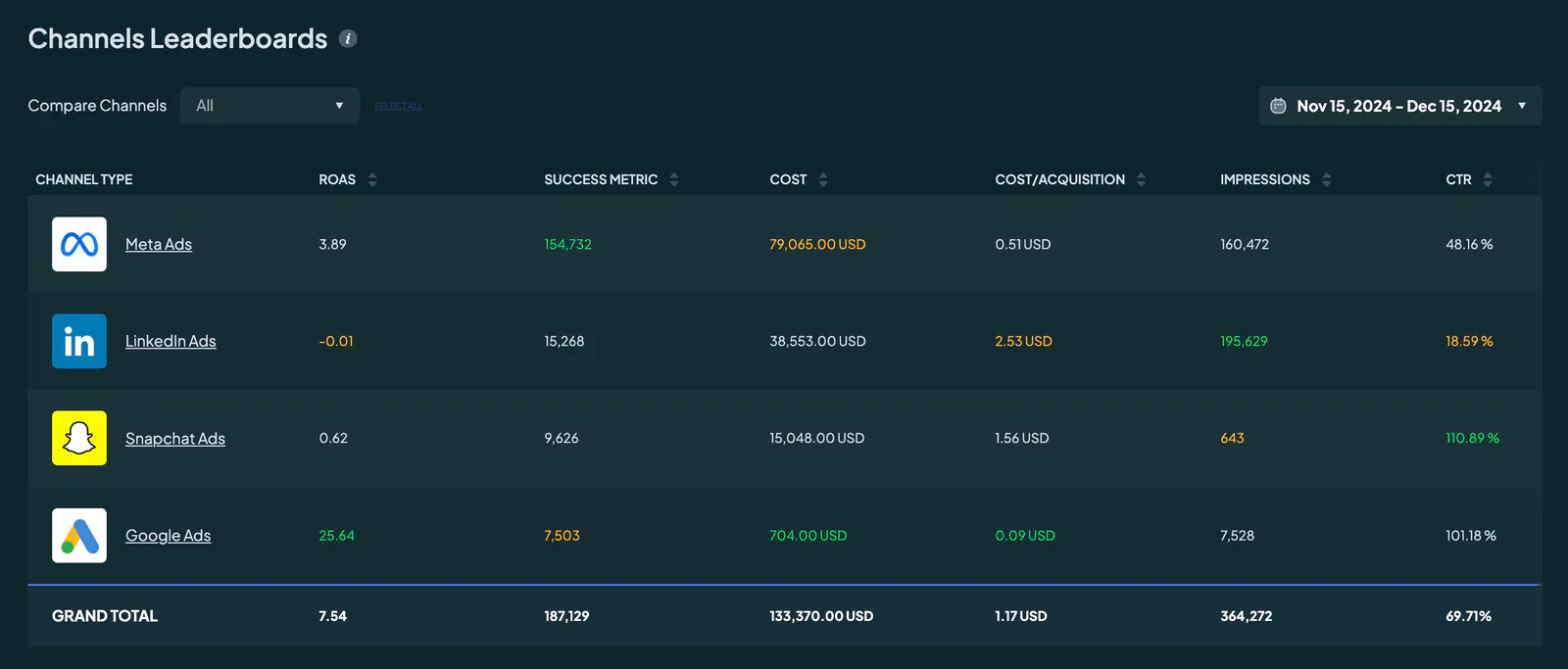
By offering detailed metrics, highlighting top and underperforming channels, and providing dynamic filtering and sorting functionalities, this feature helps you make informed, data-driven decisions.