
Mastering Groups In Grower
On this page
This guide explains Groups in Grower, which organize campaigns and webpages by shared objectives for streamlined tracking, targeting, and reporting. It highlights changes to existing components like AI Knowledge Hub upgrades, personas, and Lessons Learned to integrate with your Group.
What Is A Group
A Group in Grower is a collection of campaigns and webpages from different connected channels, organized around shared objectives and theme. For example, in an e-commerce setting, a "Holiday Sales" Group could unify campaigns targeting holiday shoppers across various platforms and link relevant landing pages from Google Analytics to this Group.
With Groups, you can:
- Organize campaigns around shared objective and theme for better alignment.
- Link landing pages from Google Analytics for unified tracking and analysis.
- Segment and target campaigns for a more focused approach.
- Monitor budgets and spending at the Group level.
- Tailor campaigns to specific buyer personas.
- Enhance reporting and performance tracking across channels.
With Groups, you can keep everything aligned, optimized, and working towards your goals. Sounds like a powerful way to take charge, right? Let’s dive in and see how you can start using Groups to boost your marketing game!
How To Access Your Groups
Ready to get started? Navigate to a Campaign Group in Grower. From there, click on the “Groups” tab in the navigation bar. This brings you to the Associated Groups page, where all your Groups are neatly organized. It’s designed for efficiency, making it easy to manage and navigate through them like a pro.

Helpful Guides For Using Groups
To maximize your experience with Groups in Grower, explore these guides tailored to help you manage and optimize every aspect:
- Group Management: Discover how to create, edit, and manage Groups effectively to align campaigns and strategies.
- Group Summary Dashboard: Get an overview of your Group’s performance metrics at a glance, helping you stay on top of your marketing efforts.
- Group Reporting: Dive into detailed reports and insights for each Group, enabling you to track campaign success and refine strategies based on real-time data.
- Group Channel Campaigns: Learn how to manage campaigns across different channels within your Group, ensuring consistency and optimization at every level.
- Group Website Pages: Find out how to associate, view, and manage website pages in your Groups to keep your digital presence aligned with your marketing goals.
- Group Personas: Tailor your campaigns to target audiences by managing personas within your Groups. Add, update, or remove personas with ease to keep your strategies relevant.
These resources provide everything you need to master Groups in Grower, giving you the tools and insights to take your marketing to the next level!
For Longtime Grower Users
If you’ve been using Grower for a while, you’ll notice that Groups build upon the structure you’re already familiar with, but with a few important modifications to existing features. These enhancements make Groups a powerful addition to the Grower platform, providing deeper granularity and better control over your marketing efforts.
Here’s how Groups modify and extend the capabilities you know and love.
AI Knowledge Hub Upgraded
We’ve expanded the AI Knowledge Hub with a brand-new "Group Analysis" tab!
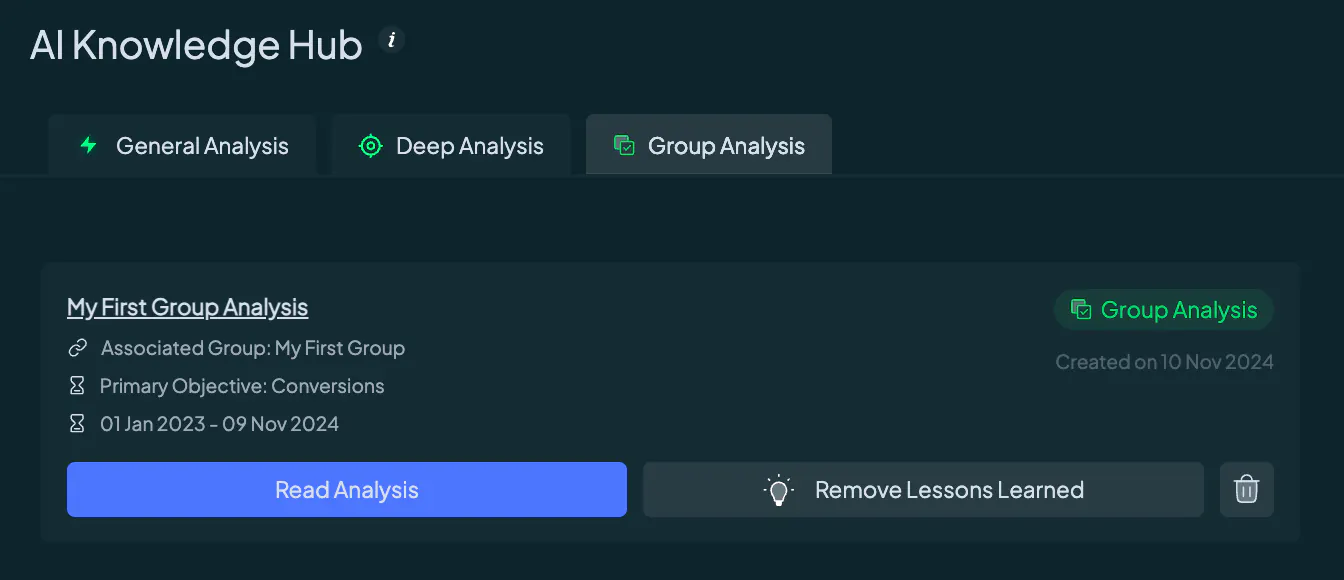
This isn’t just another section — it’s a powerful tool that stores all your Group-level insights, right alongside your Campaign Group data. Dive into deep analysis and find everything you need in one place, from detailed metrics to campaign-specific prompts, keeping your strategy sharp and efficient.
Dynamic Persona Syncing
Managing personas just got easier! When you create a persona at the Group level, it’s automatically inherited by each Campaign Group within that Group. This means your target audiences stay consistent across all connected campaigns.
Keep in mind that persona edits can only be made at the Campaign Group level, and any updates at the Campaign Group level are instantly reflected in all connected Groups.
Unified Lessons Learned
Got a valuable insight from a Group-level analysis? Add it as a "Lesson Learned," and it’s automatically reflected across the entire Campaign Group’s AI Knowledge Hub.
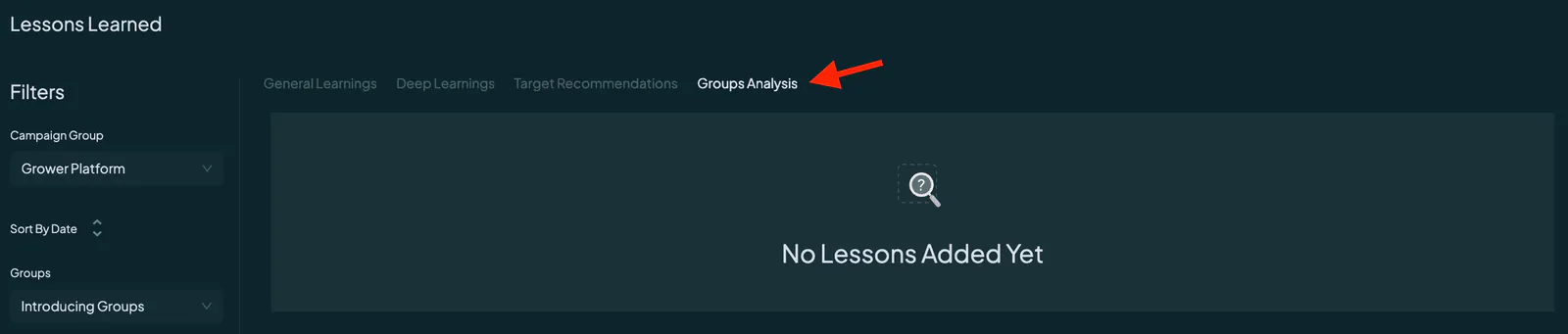
This integration ensures that no insight goes unnoticed, making your marketing strategy even more cohesive and data-driven. Every lesson learned is now part of your bigger marketing picture!
With these enhancements, Grower’s Groups feature becomes an even more powerful way to organize, optimize, and elevate your marketing efforts. Dive in and experience these improvements firsthand!