How Agencies Automate Client Reporting Without Losing the Personal Touch
What agencies should automate in client reporting (data pulls, de-duplicated numbers, schedules, alerts), what to keep human, a reporting template, a weekly and monthly cadence and an hours-saved example.

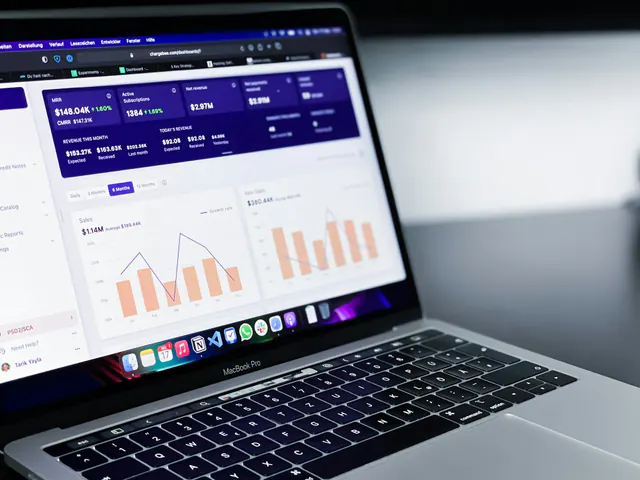
To automate client reporting, an agency connects each client's ad, analytics and CRM accounts to one system that pulls the data, de-duplicates conversions, fills a standard template and sends it on a schedule. Your team then spends the saved hours on what clients actually pay for: insight, recommendations and the conversation.
What should an agency automate in client reporting?
Automate everything that is repeatable and rule-based: the data pulls, the cross-channel totals, the schedule and the alerts. If a junior account manager does it the same way every week, a system should do it.
Data pulls
Connect platforms through their APIs instead of exporting CSV files, and store your own monthly history. Platform rules change, and an automated pipeline has to keep up. Meta's October 2025 developer update said that beginning on January 12, 2026, "7-day view (7d_view) and 28-day view (28d_view) attribution windows will no longer be returned" by the Ads Insights API, and that breakdowns for unique-count fields would be limited to 13 months of history. Total values remain available "for up to 37 months."
Google Analytics has its own limits. Its data retention help page says user-level data can be kept for 2 months or 14 months in standard properties, and that the setting "only affects explorations and funnel reports," not standard aggregated reports. Set every new client to 14 months on day one.
De-duplicated cross-channel numbers
Every platform claims the same sale. Example (illustrative): Meta reports 140 purchases, Google Ads 110 and TikTok 35, a total of 285, while the client's store recorded 210 orders. Report the de-duplicated figure as the headline and show platform-claimed numbers beside it. Our guide to marketing attribution models explains why the platforms disagree.
Scheduled reports
Send the same template, on the same day, with the same definitions. Consistency is what makes a report trustworthy, and it is the easiest part to automate.
Anomaly alerts
Alerts tell you about problems before the client does. Statistical detection needs history, though. Google's anomaly detection documentation says that "for detection of daily anomalies, the training period is 90 days," and 32 weeks for weekly anomalies. For new clients, start with simple threshold rules:
- Spend more than 20% ahead of the monthly plan
- Cost per acquisition more than 30% above its four-week average
- Zero conversions recorded for 24 hours on an active campaign, which usually means broken tracking
What should stay human in agency client reporting?
The meaning of the numbers and the relationship. Automation produces the what; people explain the so-what and the now-what.
- Insight: why a number moved, in the client's business terms, not the platform's.
- Recommendations: what to do next, what it costs and what you expect it to change.
- The client conversation: a call, a voice note or a short message that adds context and delivers bad news early.
- Editorial judgment: what to leave out. A report with 40 charts hides the three that matter.
A good split: the system builds the report by Monday morning, and the account lead spends 20 minutes writing the summary and next steps before it goes out.
What goes in a client reporting template?
A reporting template should answer three questions in order: did we hit the target, why, and what happens next. Use this structure as your marketing reporting template:
- Cover: client, period, reporting currency, attribution model and data sources. Automated.
- Executive summary: three sentences covering what happened, why and what next. Human.
- KPIs vs target and previous period: spend, revenue or leads, de-duplicated conversions, cost per acquisition and ROAS. Automated.
- Channel breakdown: Google Ads, Meta, TikTok, Snapchat or LinkedIn, whichever the client runs. Automated.
- What we changed: the actions taken this period and their effect. Automated log, human commentary.
- What we learned: one or two tested insights the client can reuse. Human.
- Next steps and approvals needed: decisions you need from the client, with deadlines. Human.
- Data notes: definitions, tracking issues and platform changes. Human, kept short.
White label client reports carry your agency's brand, not your software vendor's, and use each client's own terms for campaigns, products and regions. Keep one version of the template per client so a rename never breaks the schedule.
How often should agencies send client reports?
Send a short weekly update, a full monthly report and a quarterly review, and let alerts arrive whenever a threshold breaks.
- Weekly vs monthly: the weekly update is one page covering pacing, top movers and actions taken. The monthly report uses the full template above.
- Quarterly review: a meeting, not a document. Revisit targets, budget split and the test plan.
- Alerts vs schedule: alerts go out when something breaks, not on a timetable, and each one should name an owner and a next step.
How many hours do you save when you automate client reporting?
Multiply clients by weekly reporting hours, then by the share you can automate. Example (illustrative numbers):
- 10 clients x 4 reporting hours a week = 40 hours a week.
- Automate 60% of that work: 40 x 0.6 = 24 hours a week.
- Convert to a month: 24 x 52 / 12 = 104 hours a month.
- At an illustrative internal cost of $35 an hour, that is 104 x $35 = $3,640 of time each month.
Hours saved only become value when you use them: more accounts per strategist, more billable strategy work or faster responses. Be conservative about the share you can automate, since the summary and recommendations stay human. The reporting hours calculator on Grower's marketing agency software page runs the same math with your own client count and hours.
Comparing tools first? Our marketing analytics platform checklist lists what to test before you buy.
Client reporting for agencies in Dubai, Riyadh, Doha and London
Dubai
If you run clients across several GCC markets from Dubai, pick one reporting currency per client, AED or USD, show spend in the billing currency in the channel breakdown and note the exchange rate you used. Add an Arabic executive summary for clients whose leadership reads Arabic first.
Riyadh
Snapchat belongs in every Saudi cross-channel view. DataReportal's Digital 2026 Saudi Arabia report says that, based on Snap's advertising resources, Snapchat had 25.3 million users in Saudi Arabia in late 2025, and that its ad reach was "equivalent to 72.9 percent of the total population." Report in SAR, write summaries in Arabic where the client prefers it, and switch monthly clients to weekly updates during peaks such as Ramadan and White Friday.
Doha
Smaller audiences make daily numbers jumpy, so daily alerts can fire on noise. Use weekly thresholds and minimum volumes before an alert triggers, report in QAR and keep summaries bilingual.
London
UK clients are under budget pressure. The Gartner 2026 CMO Spend Survey, which covered CMOs in North America, the UK and Europe, found budgets rising only slightly to 7.8% of company revenue from 7.7% in 2025, and that "56% of CMOs say their marketing organization lacks the budget required to deliver their 2026 strategy." Report in GBP and tie every line of spend to an outcome. Keep customer-level personal data out of reports: aggregated numbers are enough.
How Grower helps
Grower gives each client a separate organization with its own permissions, so teams see only the accounts they manage. Reporting is automated, and the attribution engine de-duplicates conversions from every channel and app into one unified count, with six attribution models to choose from. Soft labels rename platform terms per client. AskGrower, Grower's AI agent, answers client questions and writes summaries in plain words, so account leads start from a draft instead of a blank page. Agency plans start from $750 a month; see Grower pricing for details.
Frequently asked questions
Can you fully automate client reporting?
You can automate most of the work: data pulls, de-duplicated totals, charts, scheduling and alerts. You should not automate the executive summary, the recommendations or the client conversation. Those are where clients see your thinking, and they are the reason clients renew. Plan for a person to spend 15 to 30 minutes on each report before it goes out.
What is a white label client report?
A white label client report carries your agency's branding and the client's own terminology, rather than the reporting tool's logo and default labels. Clients see one consistent agency product across every channel. Check that your tool lets you rename metrics and campaign terms per client, not just swap a logo.
Which conversion number should agencies report when platforms disagree?
Lead with one de-duplicated number, based on the client's store, CRM or an attribution tool that removes double counting, and show each platform's claimed conversions beside it. State the attribution model on the cover. Clients trust a report that explains the gap more than one that quietly picks the biggest figure.
How do agencies keep the personal touch in automated reports?
Write the summary yourself, name the person who owns each next step and follow every monthly report with a short call or message. Mention the client's business events, such as a launch or a stock issue, not just channel metrics. Automation should give the account lead more time with the client, not replace the contact.
Want to see client reporting built, scheduled and summarized in one place? Book a Grower demo for a live walkthrough with a specialist, tailored to your clients' channels.